An enquiry form that files itself into your pipeline.
Embed an enquiry form on your studio website. Every submission arrives in AirQuotes as a deal, with the enquiry details attached and the source recorded.
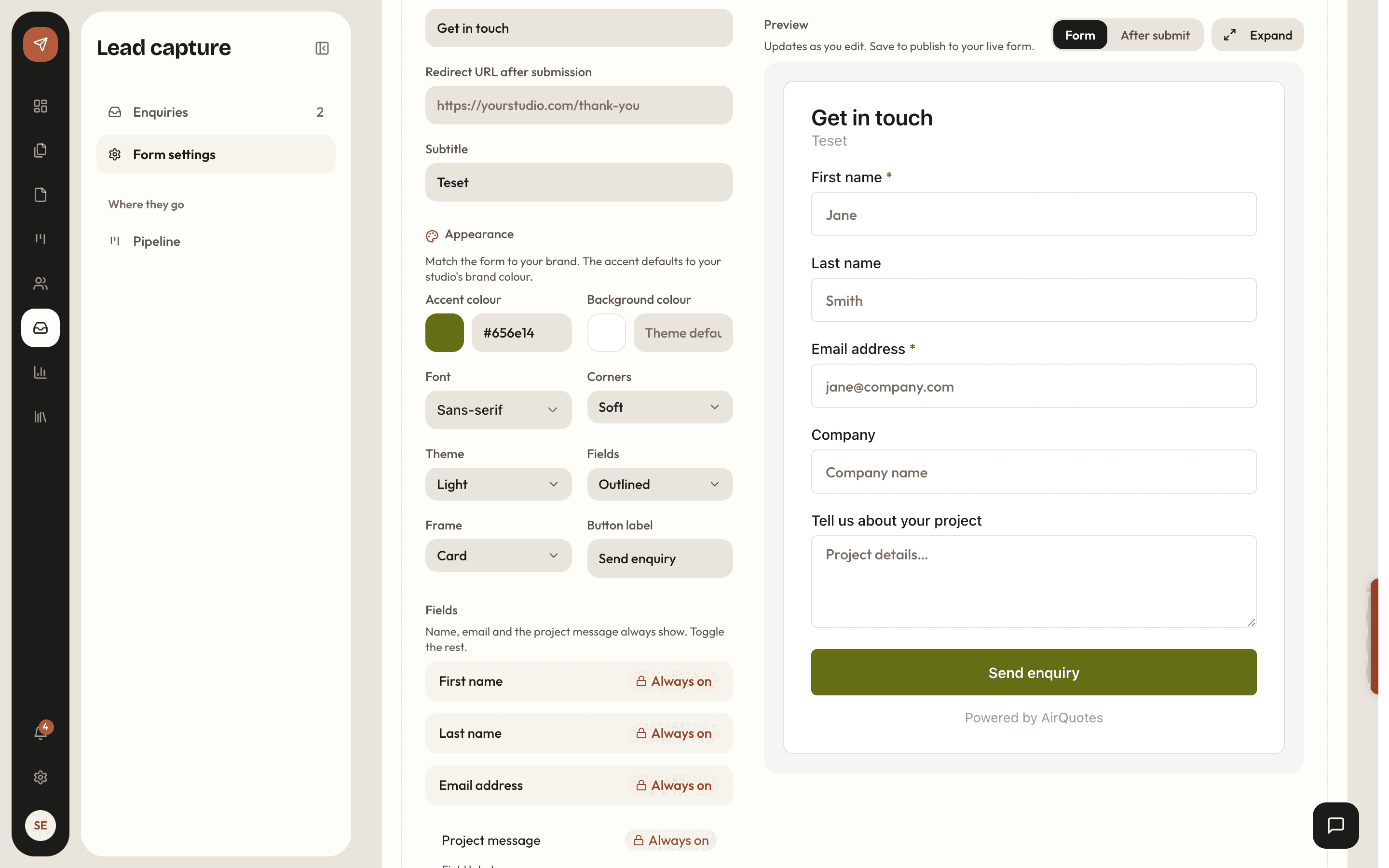
How it works
Choose the fields
Name and email are required. Company, phone, budget range, timeline and location are switches, and you can add custom fields of your own.
Style it to your site
Accent colour, font, corner radius, theme, field style and frame, so the form reads as part of the page rather than a widget dropped onto it.
Paste the embed
One snippet on your studio website. The form reads its own configuration, so changing a field later does not mean touching the site again.
The enquiry becomes a deal
Submissions arrive in the pipeline as deals with the source recorded and the full enquiry attached.
Ask for what you actually need
Every field you add costs you submissions, and every field you leave out costs you a qualifying email. The form is configurable so you can make that trade deliberately.
- Name and email required; everything else is yours to switch on
- Budget offered as ranges rather than a free-text box people leave empty
- Custom fields for the question your discipline always has to ask
- Required fields are enforced on the server, not just in the browser
- ✓Namerequired
- ✓Emailrequired
- ✓Company
- ✓Budget range
- ✓Timeline
- Phone
- Location
It should look like your site
An embedded form that carries someone else’s design language is the fastest way to tell a visitor they have left your website.
- Accent colour, font style, corner radius and theme
- Field style and frame, so it can sit flush in the page or as a bordered card
- Your own form title, subtitle, message label and button label
- A redirect URL for where a submission should land afterwards
- Corner radius
- 3px
- Field style
- Underlined
- Frame
- None
- Button
- Send the brief
Straight into the pipeline
The point of the form is not the form. It is that an enquiry at 11pm on a Sunday is already a deal on the board on Monday morning, with everything they told you attached.
- A deal created at the lead stage with the source marked as your website form
- The full enquiry kept with it, including any custom fields
- Source becomes a pipeline filter, so you can see what the website is actually producing
- From there it is a proposal, without retyping the brief
- Lead6£54k
- Contacted4£71k
- Proposal sent3£96k
- Won2£42k
- Lost1£18k
Against a contact form that emails you
| What changes | Mailto or form plugin | AirQuotes |
|---|---|---|
| Where an enquiry lands | Your inbox, among everything else | The pipeline, as a deal |
| Qualifying detail | A message box and a follow-up email | Budget range and timeline asked up front |
| Knowing what the site produces | Guesswork | Source recorded and filterable |
| Changing a field | Edit the site | Change the setting; the embed follows |
| Look and feel | The plugin’s | Colour, type, radius, theme and frame set by you |
| Turning it into a proposal | Retype the brief | The enquiry is already on the deal |
Scroll the table sideways for the AirQuotes column.
What it does not do
It does not qualify the lead
A budget range is a claim, not a fact. The form gets you a better first conversation; it does not save you from having it.
It is one form, not a form builder
Configurable fields and styling, not conditional logic, multi-step flows or file uploads. If you need those, this will frustrate you.
It does not stop spam on its own
A public form is a public form. Required fields are enforced server-side, but a determined bot is a separate problem.
More fields, fewer submissions
Every switch you turn on reduces the number of people who finish. That trade is real, and only you know which side of it your studio should be on.
Asked before you ask
Which fields can I ask for?
Name and email are always required. Company, phone, budget range, timeline and location can each be switched on, and you can add custom fields for anything your discipline needs to know before the first call.
How much can I restyle it?
Accent colour, font style, corner radius, theme, field style and frame, plus your own title, subtitle, message label and button text. The aim is that it does not look embedded.
Do I have to touch my website to change a field?
No. The embed reads its configuration at load, so the settings page is the single place a change happens.
What happens after someone submits?
A deal appears in your pipeline at the lead stage with the source marked as your website form, and the whole enquiry including custom fields stays attached to it. You can also set a redirect URL for where the visitor goes next.
Can I tell which enquiries came from the site?
Yes. Source is recorded on the deal and is one of the pipeline filters, so you can look at only what the website produced.
See it on your next proposal.
Beta access is free for two months on the Studio plan. Applications are reviewed manually, and approved studios build their first proposal from their own brief.
Apply for beta →